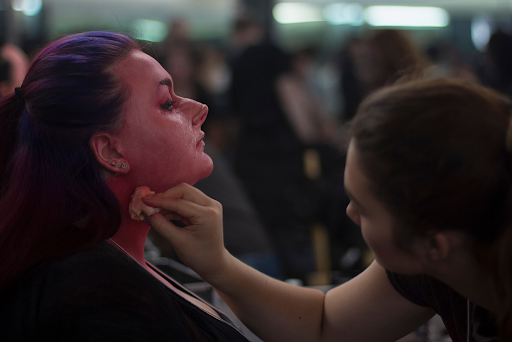
High-definition cameras capture the smallest details on an actor’s face. In special effects makeup, this can make realistic skin texture just as important as the prosthetic shape itself. Smooth surfaces, repeated patterns, heavy paint layers, or visible prosthetic edges can become obvious in close-up shots.
To make these details look convincing on camera, SFX makeup needs to go beyond the basic shape of a prosthetic. Skin color, texture, translucency, surface finish and lighting all work together to create a natural appearance. The right balance helps the makeup look like real skin rather than a surface that has simply been covered with added details.
Steps to Create Realistic HD Skin Texture
Natural skin contains many small variations. Pores are different sizes, pigmentation is uneven, veins become more visible in certain areas and fine lines follow the movement and structure of the face.
From sculpting and stippling to airbrushing and hand-painting, here are practical techniques for creating realistic skin textures that can hold up under high-definition cameras.
Step 1: Start With the Base Shape and Skin Structure
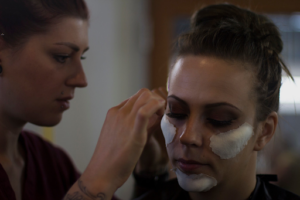
Before adding fine skin details, establish the basic facial structure and larger skin forms. This creates a realistic foundation for pores, wrinkles and other surface details to follow naturally.
- Establish the Primary Shapes: Start with the main facial anatomy, including the skull, jawline, cheekbones, fat pads and major bone structure. These shapes determine how the skin sits over the face.
- Define Skin Tension: Identify areas where the skin naturally stretches, compresses, or folds. These areas will guide the placement of wrinkles, creases and other fine details.
- Add Secondary Forms: Sculpt larger features such as eyelids, lip creases, nasolabial folds, forehead folds and neck rings. These forms should follow the underlying anatomy and natural movement of the face.
- Check the Surface Before Detailing: Examine the model from different angles and under different lighting to make sure the main forms look natural. Once the base structure is correct, you can begin adding pores, fine wrinkles and other micro-details.
Studying real skin references can help artists understand these differences. For a deeper look at this process, see How to Create Micro-Details (Pores, Veins, Freckles) in Prosthetics.
Step 2: Add Variation With Texture and Stippling
One of the mistakes in SFX makeup is making the skin texture too even. Real skin is never perfectly uniform. Pores differ in size, freckles appear in different areas and skin color changes subtly across the face. When adding skin texture, change the size, placement and strength of the details so the surface looks more natural and less repetitive.
Stippling can also help break up a smooth surface. Using a sponge, you can add small changes in color and texture that make the skin look more realistic. This technique is also useful around prosthetic edges. After the edge has been blended, adding a little texture around the transition helps it match the surrounding skin.
Step 3: Add Natural Color Variation to the Skin
Skin is not one flat color. Small changes in tone help a prosthetic look more like real skin, especially under high-definition cameras. Build the color gradually instead of trying to create the final skin tone in one layer.
1) Start With a Base Tone: Apply a skin tone that matches the character’s complexion. Keep the first layer light so you can build more color without making the surface too heavy.
2) Add Subtle Color Variation: Introduce small amounts of colors such as reds, yellows, blues, or browns where needed. These variations can help create the natural changes seen in real skin.
3) Build Thin Layers: Add color gradually rather than applying one thick coat. Thin layers give you more control and allow the colors underneath to show through.
4) Keep the Texture Visible: Avoid applying too much paint, as heavy layers can cover the pores and fine details you created on the surface. The goal is to add color while keeping the skin texture visible.
Step 4: Use Airbrushing for Soft Skin Transitions
Airbrushing is useful when creating realistic skin textures because it allows artists to build color gradually.
An airbrush can be used for soft transitions, subtle mottling, shadows, bruising and other color variations that would be difficult to achieve with a heavy brush.
It can also help create fine details when used with appropriate stencils. Our Step-by-Step Guide to Airbrushing with Stencils explains how airbrush techniques can be used for pores, freckles, veins, bruising and other realistic skin effects.
Step 5: Combine Airbrushing and Hand-Painting
Using both techniques can help create skin that has soft color transitions along with realistic small details. Start with an airbrush to create the overall skin tone, soft shading and smooth color transitions across the makeup surface. Once the base is established, use a fine brush or sponge to add details such as freckles, veins, age spots, capillaries, or small areas of discoloration.
Make sure the hand-painted details blend naturally into the airbrushed color so they look like part of the skin rather than separate marks. Keep the details subtle and vary their color and intensity. This helps the finished texture look more natural and believable on camera.
Step 6: Control Shine and Surface Finish
The way light reflects off the makeup surface can affect how realistic the skin looks on camera. Controlling the surface finish helps avoid an overly shiny or plastic appearance.
- Check the Shine: Look at the prosthetic under the lighting you expect during filming. This will help you see areas that reflect too much light.
- Reduce Excess Shine: Use translucent powder or a suitable finishing product to reduce unwanted gloss. Apply it carefully so you do not cover the fine skin texture.
- Keep Some Variation: Real skin is not equally matte across the entire face. Leave slight differences in sheen to create a more natural appearance.
- Test Before Filming: Check the finished prosthetic from different angles and under different lighting. Adjust the surface finish if it looks too glossy, too flat, or too artificial.
Step 7: Test the Texture Under HD Lighting
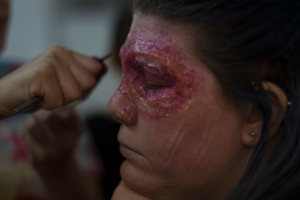
Never judge camera-ready SFX makeup only from a few inches away.
A texture that looks subtle in the makeup room may become too strong under a high-definition camera. The opposite can also happen: details that appear visible in person may disappear once the camera is farther away.
Test the makeup under production-style lighting whenever possible. Check the face from different angles and distances, particularly if the character will be filmed in close-up.
Want to develop these techniques further? Enroll in Cinema Makeup School’s SFX makeup programs.
Common Mistakes When Creating HD Skin Texture
1) Adding too much detail is one of the most common mistakes. Realistic skin has texture, but most of it is subtle.
2) Another problem is repeating the same pore, wrinkle, or freckle pattern. Repetition can make the texture look manufactured.
3) Artists should also avoid relying on one paint color or one heavy layer. Building color gradually creates more depth and allows the underlying texture to remain visible.
4) Ignoring the character’s specific features can also make the texture look unrealistic. Applying the same skin texture to every character can overlook differences in age, environment, condition and overall character design.
Related Articles:
How SFX Artists Prevent Air Bubbles in Silicone Prosthetics
8 Sources Every SFX Makeup Artist Should Explore for Inspiration
How SFX Makeup Artists Create Realistic Claw Effects
Build Your SFX Makeup Skills
Creating realistic skin textures for high-definition cameras requires practice across several areas of special effects makeup. Sculpting, prosthetics, painting, airbrushing, character makeup and camera testing all contribute to creating believable results on screen.
Cinema Makeup School provides hands-on training in these areas, helping students develop practical skills for film and television makeup.
Our alumni have gone on to work on productions including Ad Astra, Bombshell, The Mandalorian, Stranger Things, Prey and more, applying techniques in professional production environments.
If you want to develop these skills through hands-on training, apply now.
Take a tour of our campus and discover the hands-on environment where aspiring SFX artists develop professional makeup skills.